young professional
Getting Started

Creating and Managing Your CV


Introduction

To get started, here are some simple questions you should already have answers to:

1. What is your profession/occupation?
2. How many skills do you boast of?
3. How many languages can you speak?
4. How much work experience do you have?
5. How many educational milestones have you covered?

Well, if you don't have an answer to any of those questions, then sorry, but it's completely not okay. And if you don't know this much about yourself, how then would you help prospective employers or partners know you better work-wise, at a glance?

Now, what's the way forward? Don't worry, because this article's got your back. And the way forward is simple and straightforward. You simply need a CV. Just calm down, and you would get to know why you really need one and how to go about it.

Why You Need a CV

Before we continue, let's make sure you know exactly what a CV is, so we can be on the same page. No assumptions!

A CV, sometimes referred to as a resume, is a document containing a summary of your academic and work history, including your skills and spoken languages. To make it simpler, a CV is a self-evaluation credential. And what does that mean? It simply means that you have taken your time to carefully evaluate yourself, and then have your findings recorded somewhere for reference purpose. This self-evaluation reference document is what is called a CV - Curriculum Vitae. But then, why do you really need this CV of a thing? Well, the answer to this can be a really long list, but we would summarize it into just 3:

1. A CV helps you stay informed and updated about your academic and work history, the number of skills you have, and the number of languages you can communicate in. And knowing these stats about yourself would really go a long way in helping you develop a heightened level of self-consciousness, knowing what exactly to improve on.

2. Having a CV would let you help potential employers, partners, or collaborators to evaluate and know you better work-wise, thereby increasing your credibility and letting them know what and what you have to offer.

3. Having a CV can go a long way in helping you make the right career choices by considering your strengths, weaknesses, and experience as outlined in your CV. And you know how significant career choices are? They directly and sometimes indirectly, affect all other aspects of your life - positively or negatively.

Now, it is assumed that you know better! However, you should not be of those who have the mindset that a CV is needed only when scouting for a job. That's a fat lie. Having a good CV is, just as stated above, very important and useful in many other aspects of life other than just searching for a job.

Setting Up Your CV

Setting up your CV on Traffic Danfo is one of the easiest and fastest things to do in the online world and should take you only about 5 to 10 minutes. Yes, you must be thinking: "is it really faster than liking a Facebook post?" LOL! Not really, but let's see.

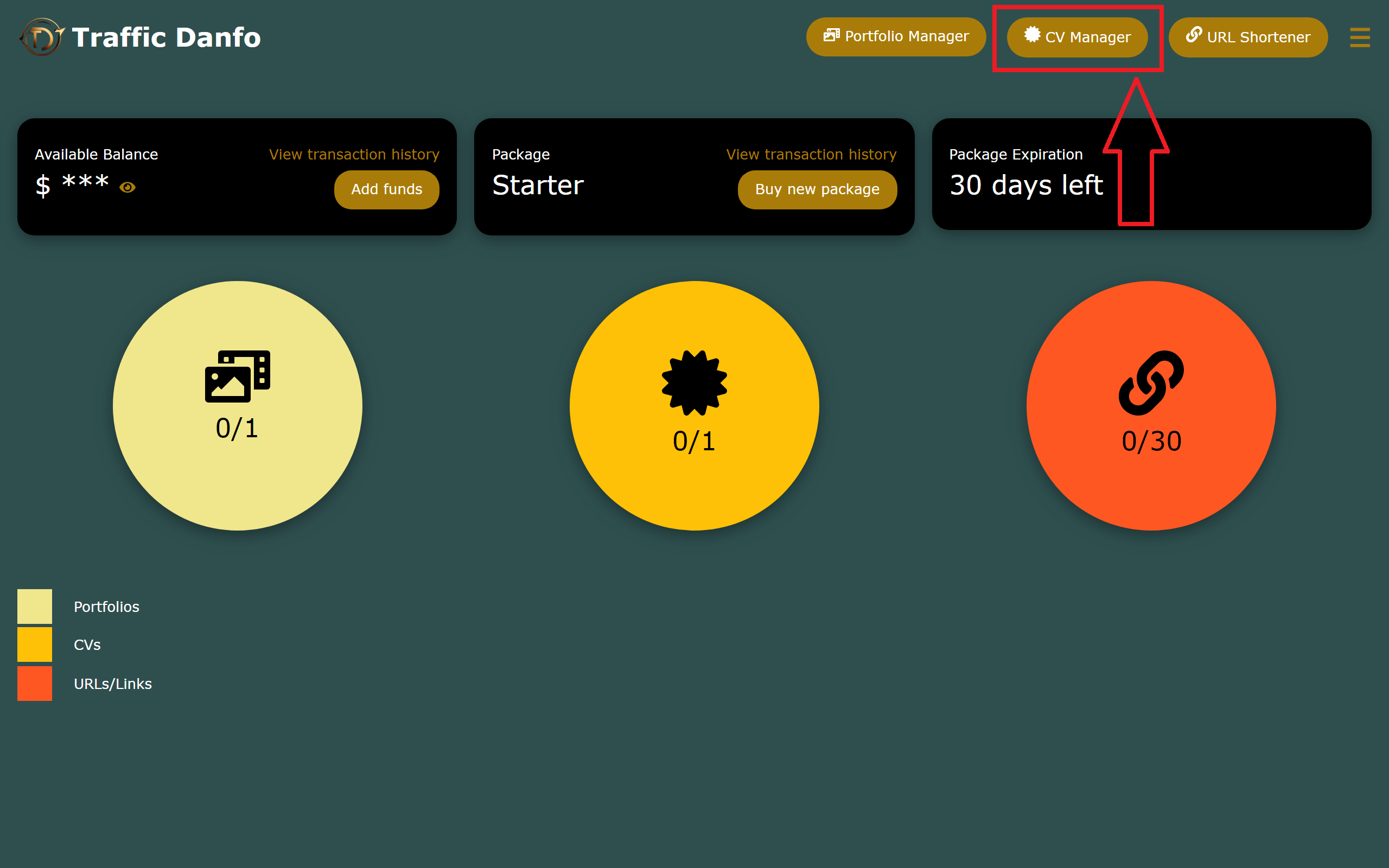
1. After you've logged into your dashboard, simply head straight to 'CV Manager'.
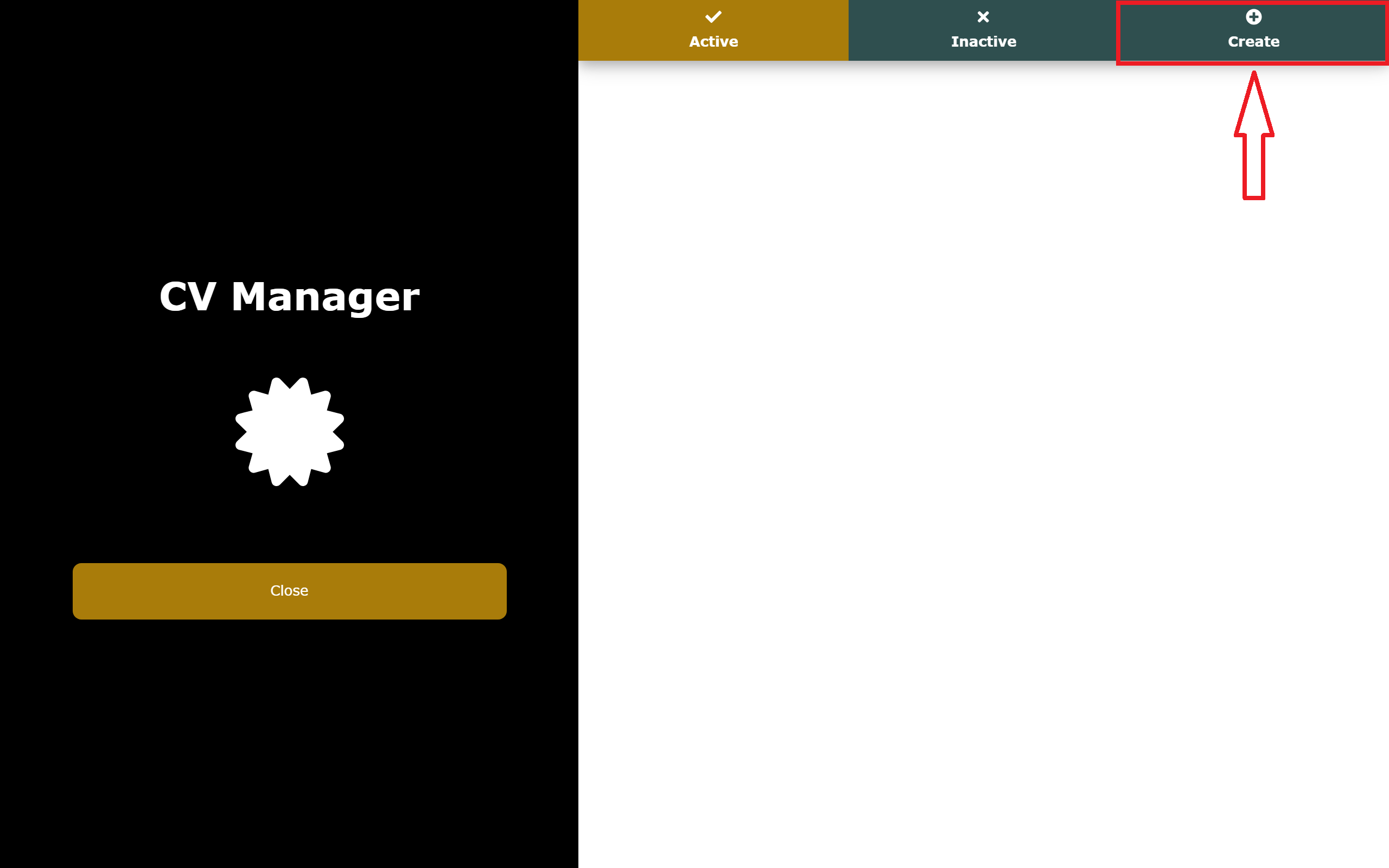
2. When the CV Manager opens, click on 'Create' to create a new cv.
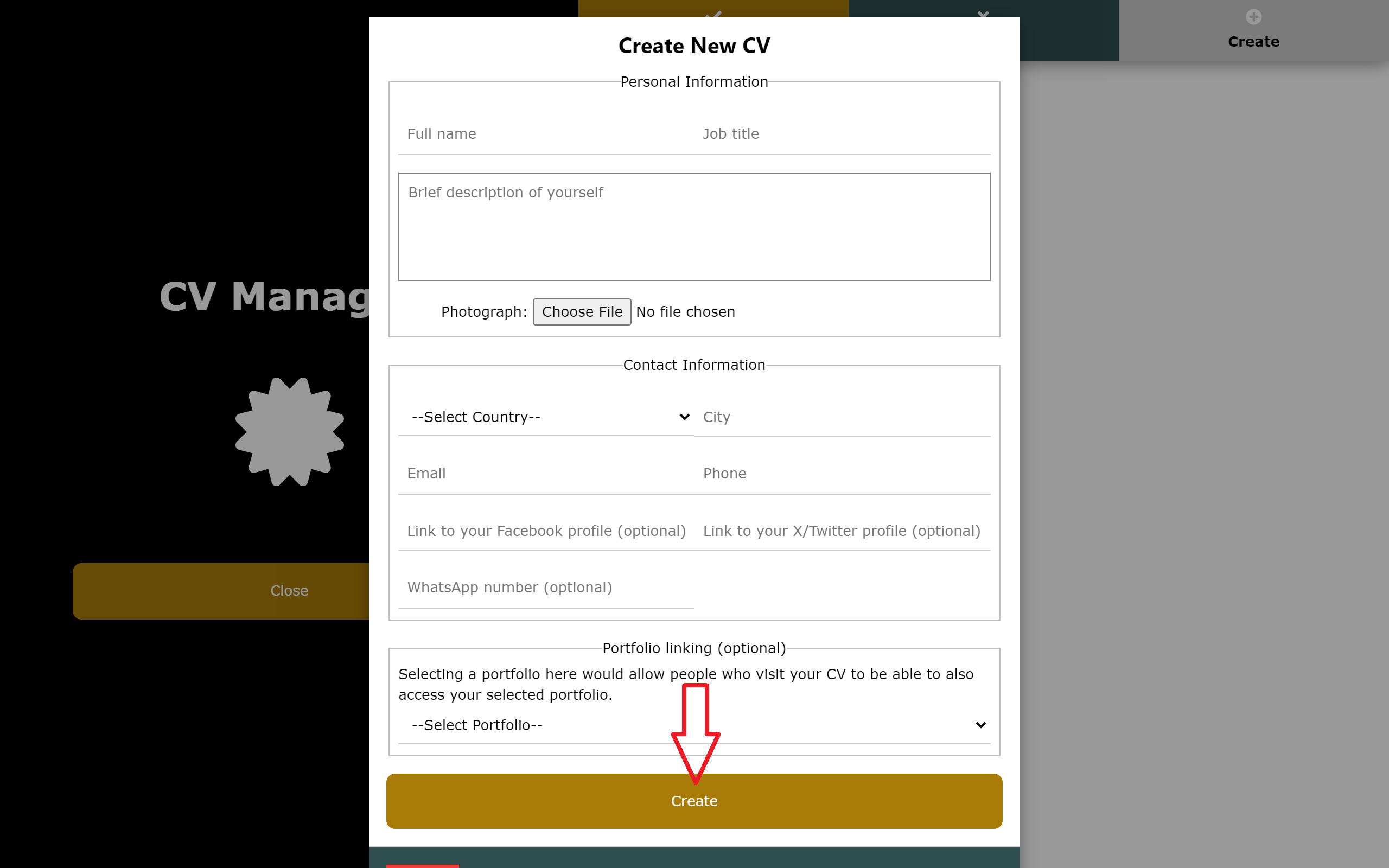
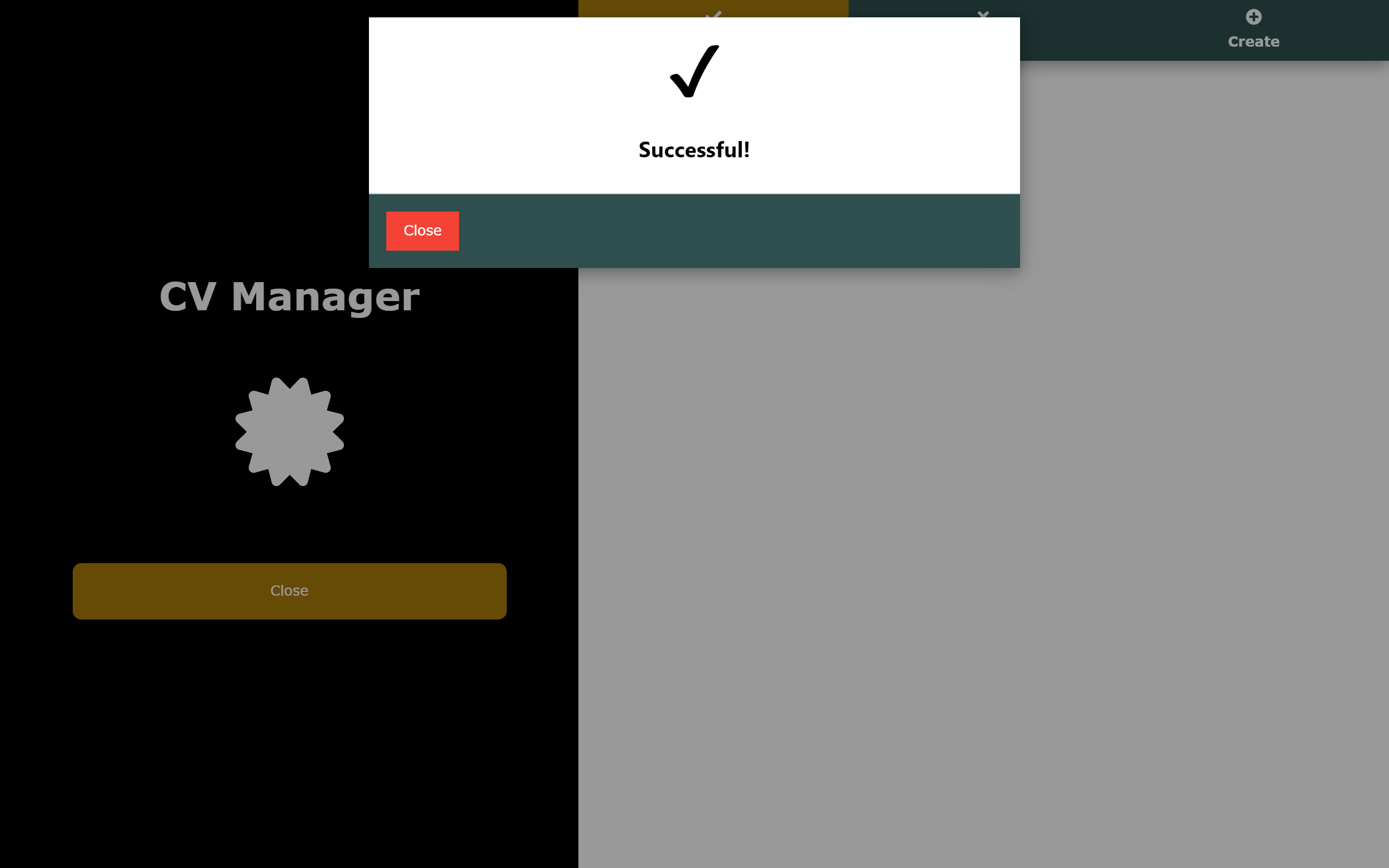
3. A modal will pop up, where you would fill in your details and submit by clicking on the 'Create' button.

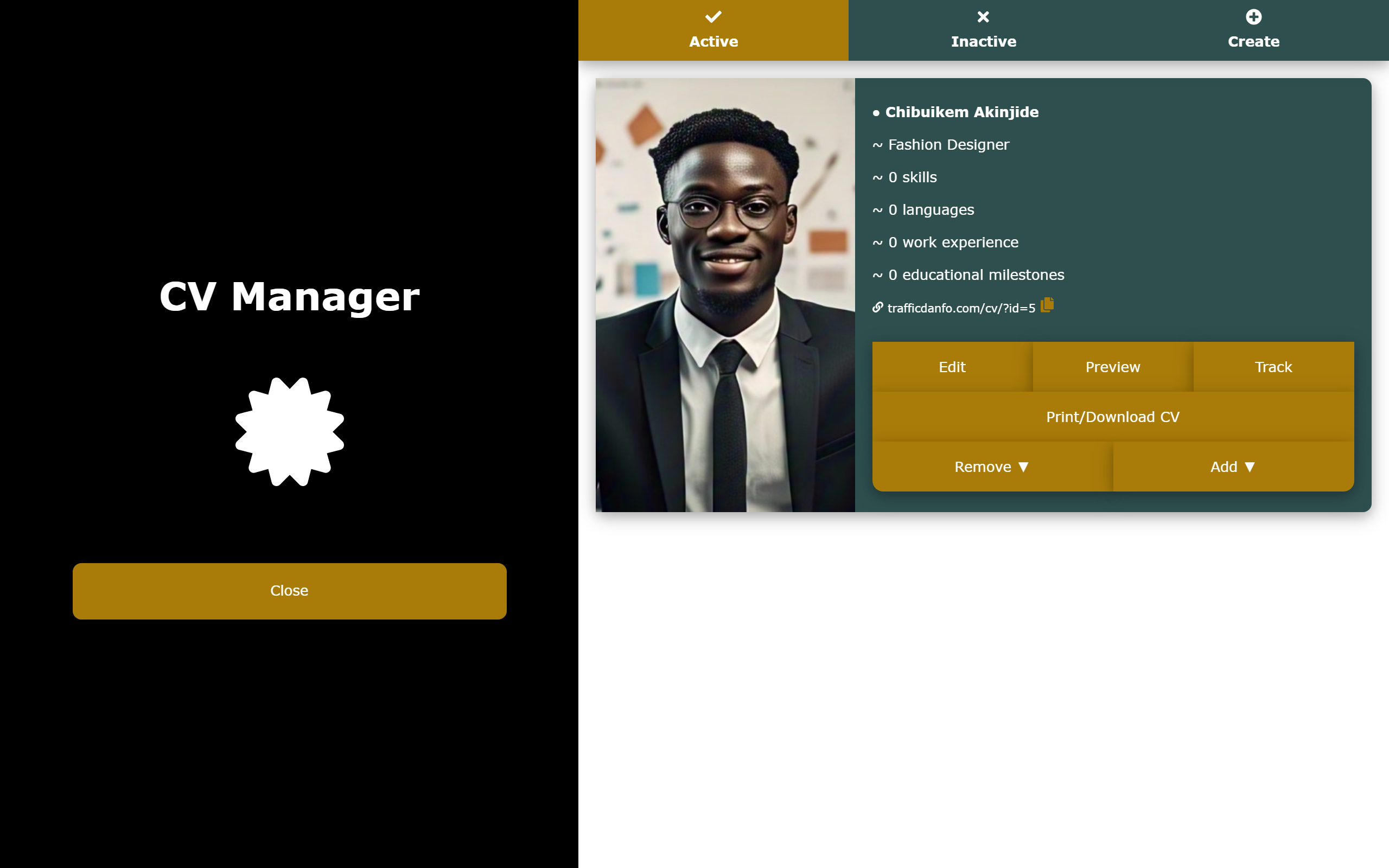
And that's it! Your CV would be created. What you would have to do next would be to start adding information (skills, languages, work experience, and educational milestones) to it. By now you must be wanting to see how the CV Manager looks like after successfully creating a new CV. Alright, let's take a look before we continue.

Adding Your Information to Your CV

Having successfully created your CV, here's how you can simply add your information to it:

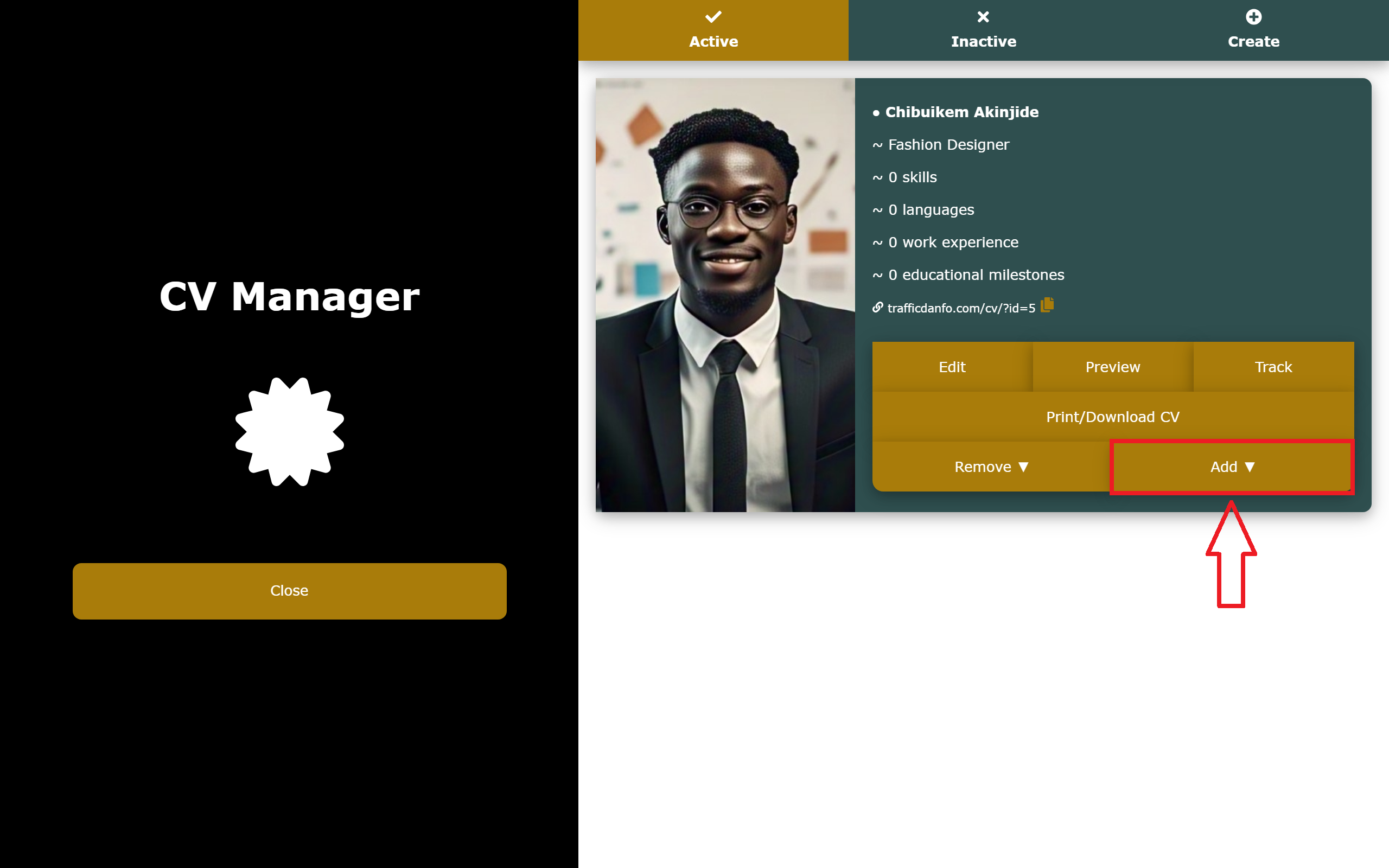
1. Click on the 'Add ▼' button on the particular CV you wish to add the information to.
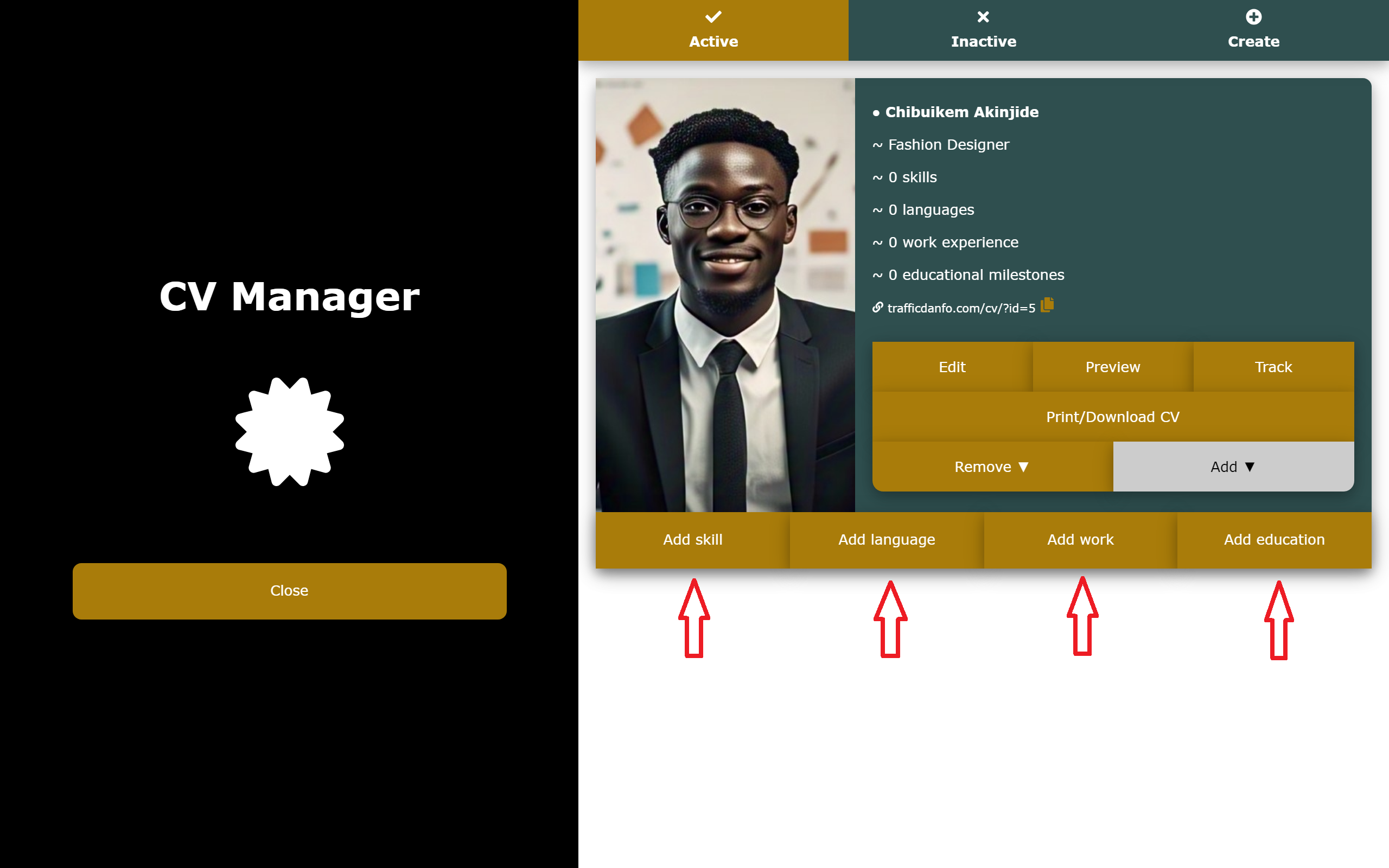
2. A dropdown with various options (Add skill, Add language, Add work, Add education) will appear, where you would click on one of the options depending on what exactly you want to add.
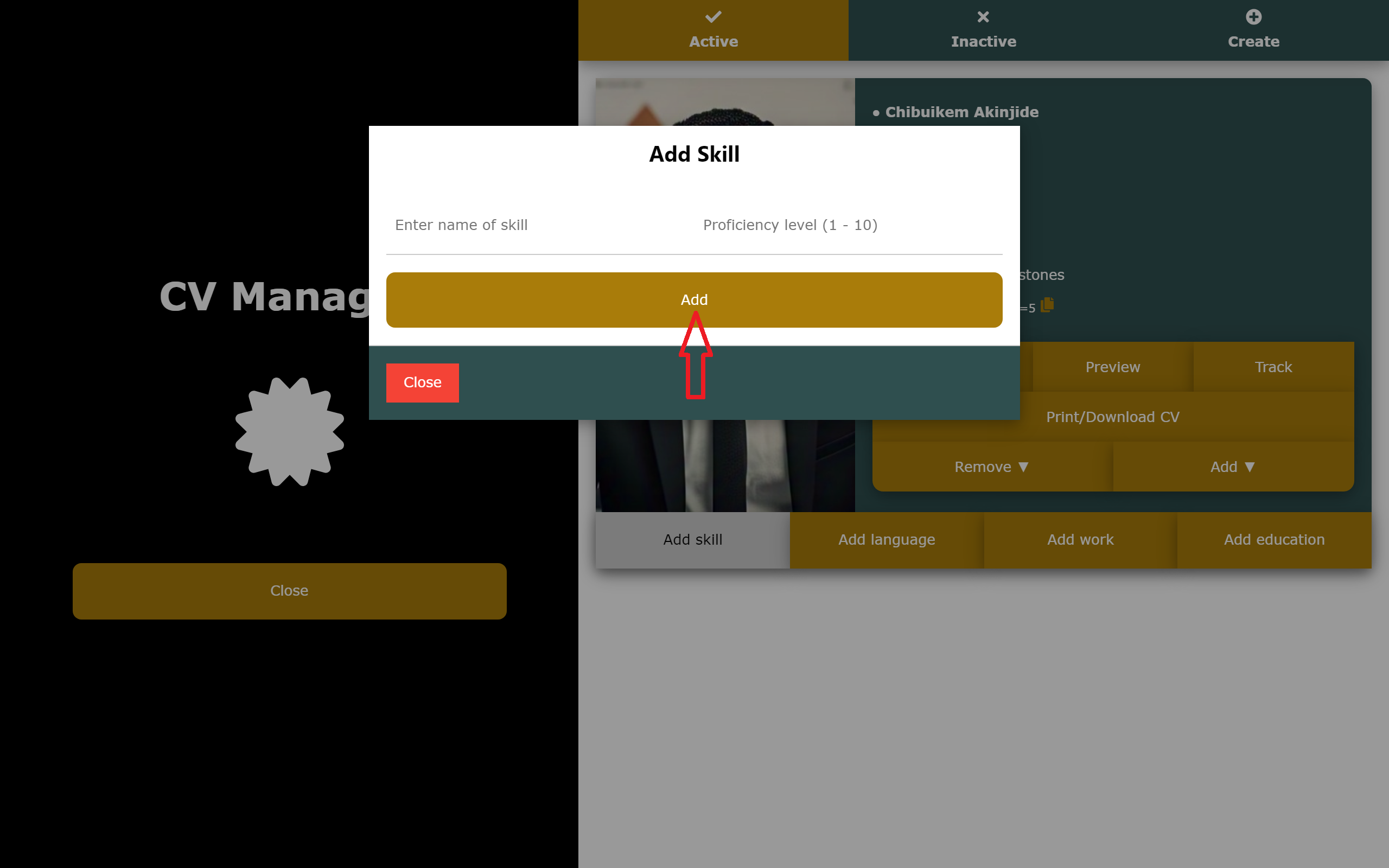
3. Let's try adding a skill to see how it really works. To do so, you would simply have to click on the 'Add skill' button. This would bring up a modal where you would be required to enter the name of the skill and your proficiency level (ranging from 1 to 10) in the skill. After that, just click on 'Add', and that's it.
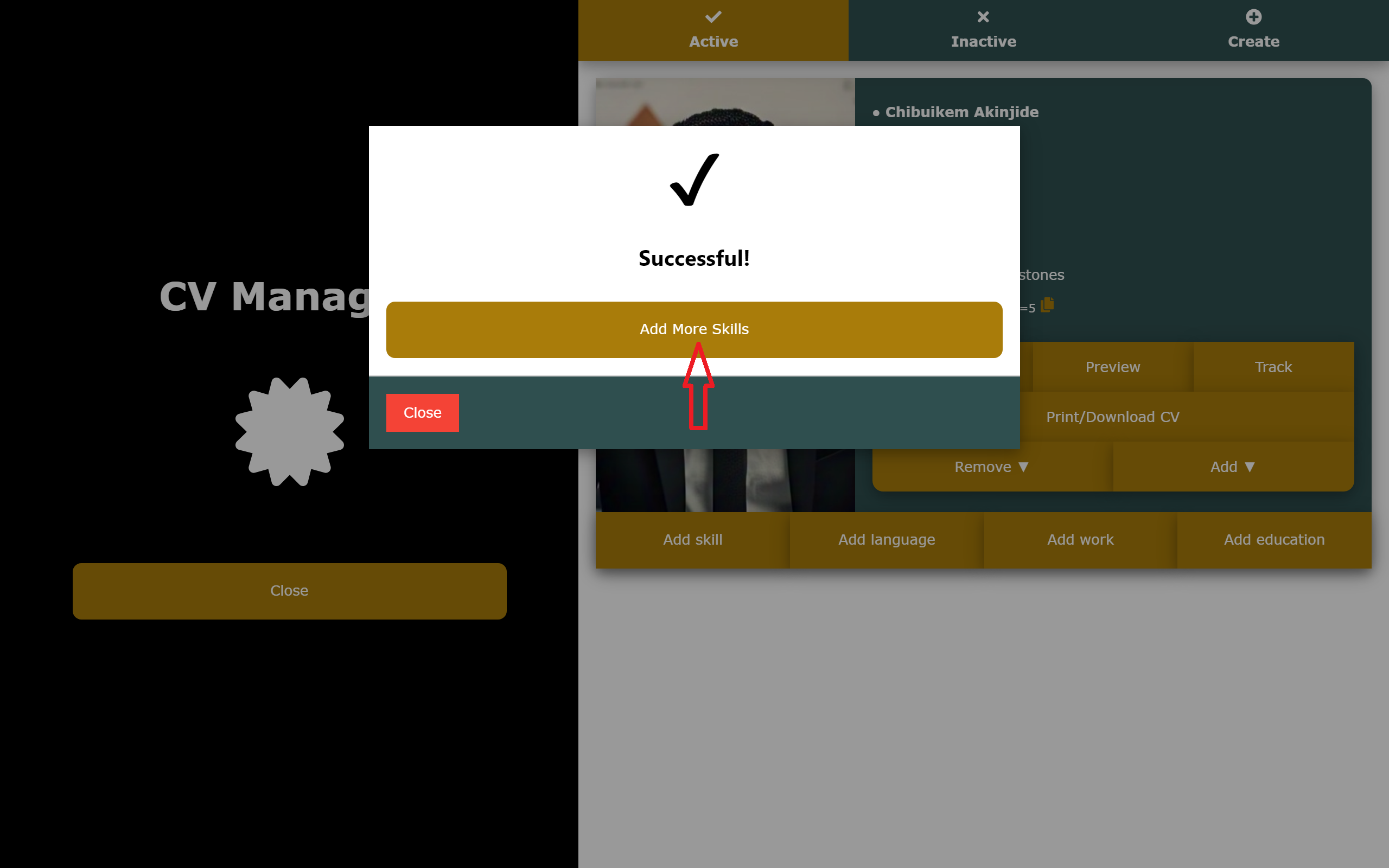
You can simply click on the 'Add More Skills' button to add as many skills as you would wish to add to your CV. Also, you can follow the same steps to add other information (language, work, education) to your CV. Very easy, right? Good!
Previewing and Sharing Your CV

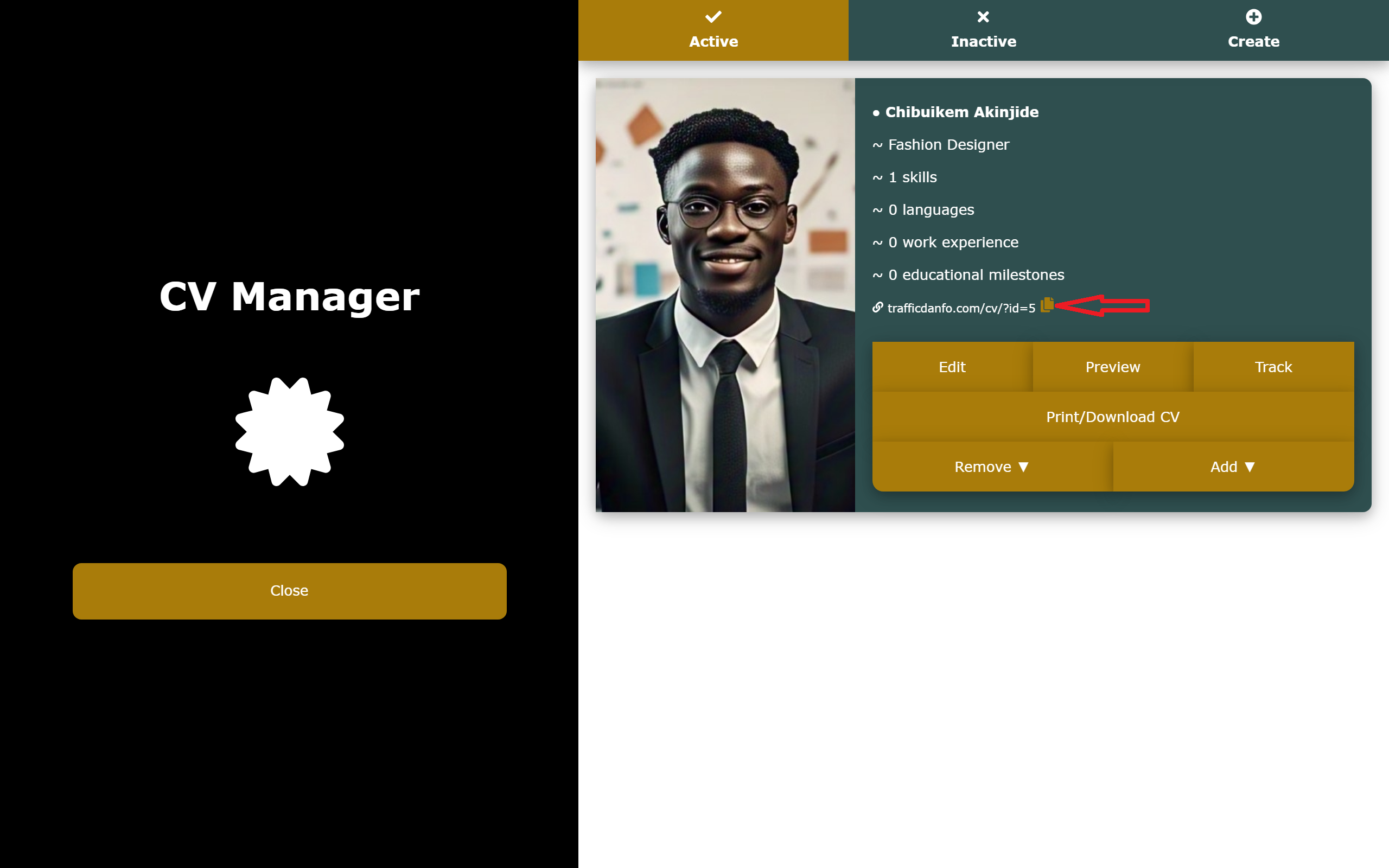
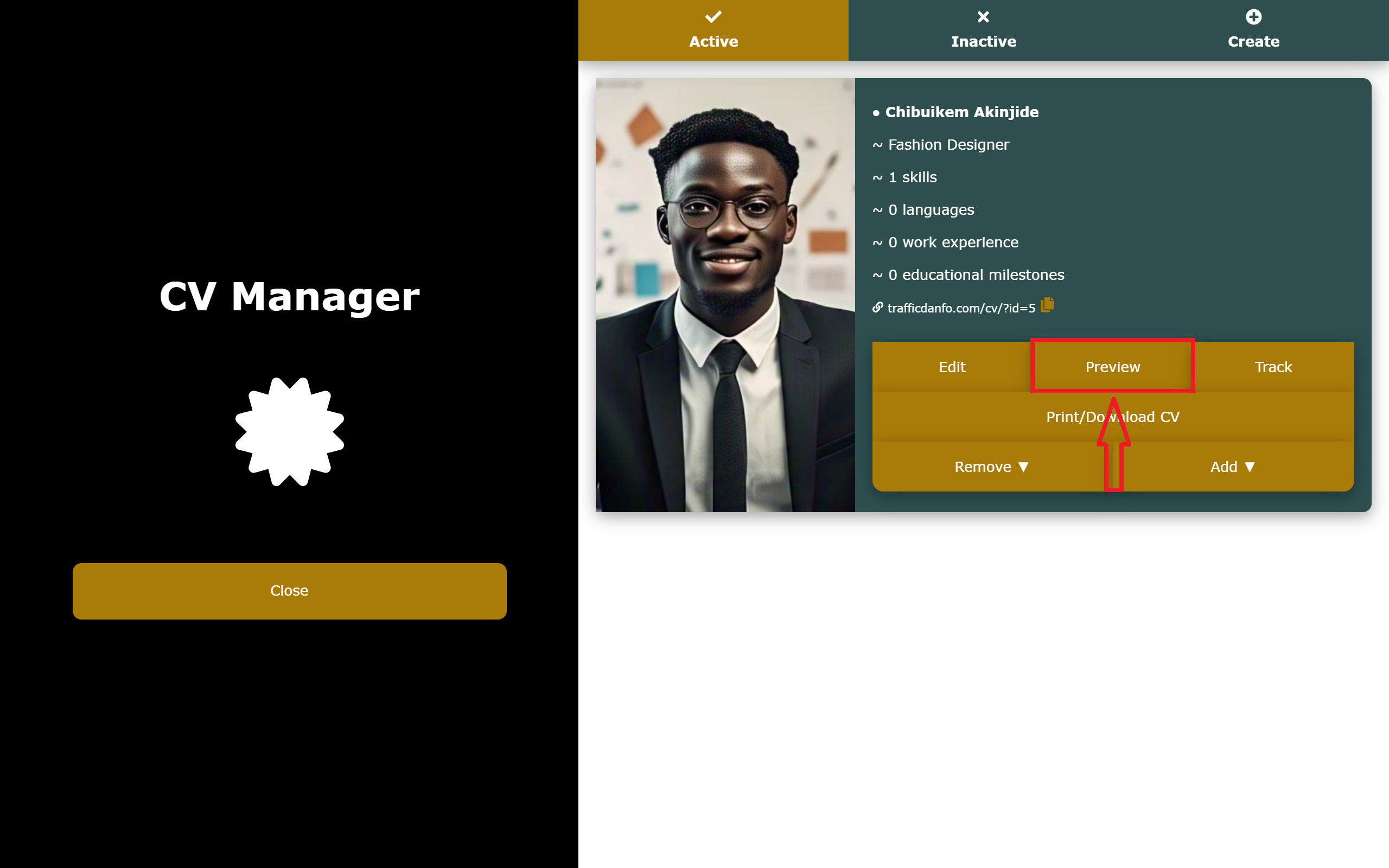
After your CV is fully set, your next step should be to grant it visibility by sharing a link to it across social media. Just like we usually advise when it comes to portfolios, we would also recommend you paste this link on the profile pages of all your social media handles, and other freelancing platforms. To do this, you would simply have to copy the link to your CV by clicking on the copy icon near the link.
Also, to see how your CV actually looks, you can simply click on the 'Preview' button and have a good feel of the CV you've created.
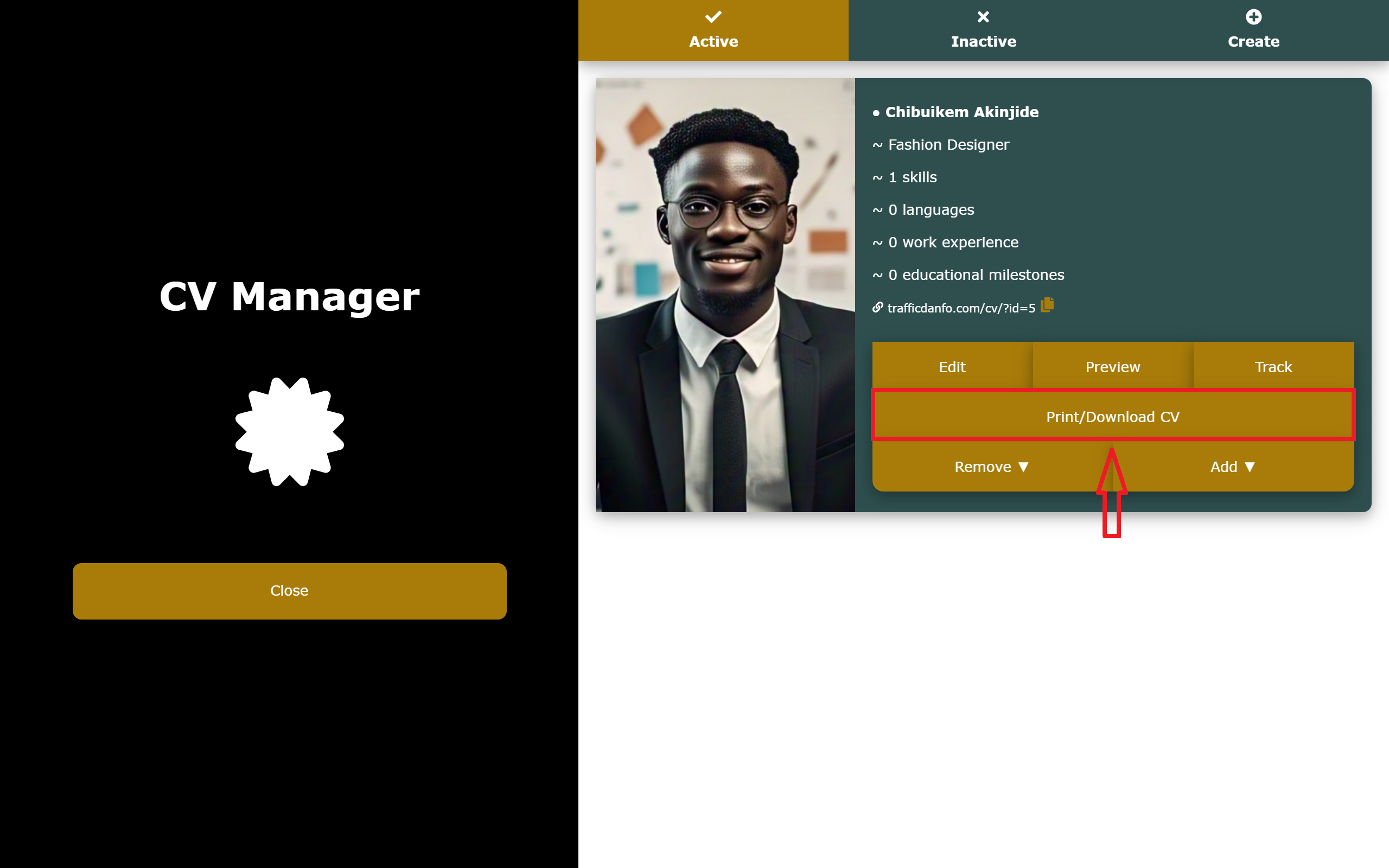
And to print or download your CV so that you can always access it offline, all you would have to do is to click on the 'Print/Download CV' button and follow the prompts.

Time to Get to Work

Now that you have learnt how to fully set up your CV, it's time to go implement what you've learnt. Simply login to your dashboard to start the process.
Frequently Asked Questions
1. Do I still need a CV considering the fact that I already have a portfolio?
Of course, you do! You should understand that your CV focuses more on you, while your portfolio focuses more on your work/projects. And having both of them would surely set you up for success.
2. What if I have so many skills that do not align, is it advisable for me to add them all to my CV?
This could be a difficult situation - deciding whether or not to add some of your skills to your CV simply because they don't align with your other skills. Well, it's not really advisable to leave any of your relevant skills behind when adding your skills to your CV. However, you have two options to choose from when seeking for ways to go about it:

A. Just add them all to the same CV.

B. Create multiple CVs based on your related skill set, and use each individual CV for each individual personality you might possess.
3. I'd have loved to try this out, but I really can't pay for something I haven't tested.
Say no more! You really don't have to pay a dime before using Traffic Danfo. Using Traffic Danfo is actually free for the first 7 days after you sign up.
4. How would I know if people are actually visiting my CV, or whether I'm just the only one viewing my stuff?
You can always track your CV from the CV Manager to see it's analytics. It's there to help you understand where your CV performs best, so you can make better decisions.
5. What if I want to remove a particular information from my CV? How would I go about it?
If for any reason, you no longer want to have a particular information in your CV, you can instantly remove it by heading straight to your CV via the CV Manager, clicking on 'Remove ▼', and then following the prompts.
Getting Started
Creating and Managing Your Portfolios
Creating and Managing Your CV
Creating Custom URLs Using Our URL Shortener